
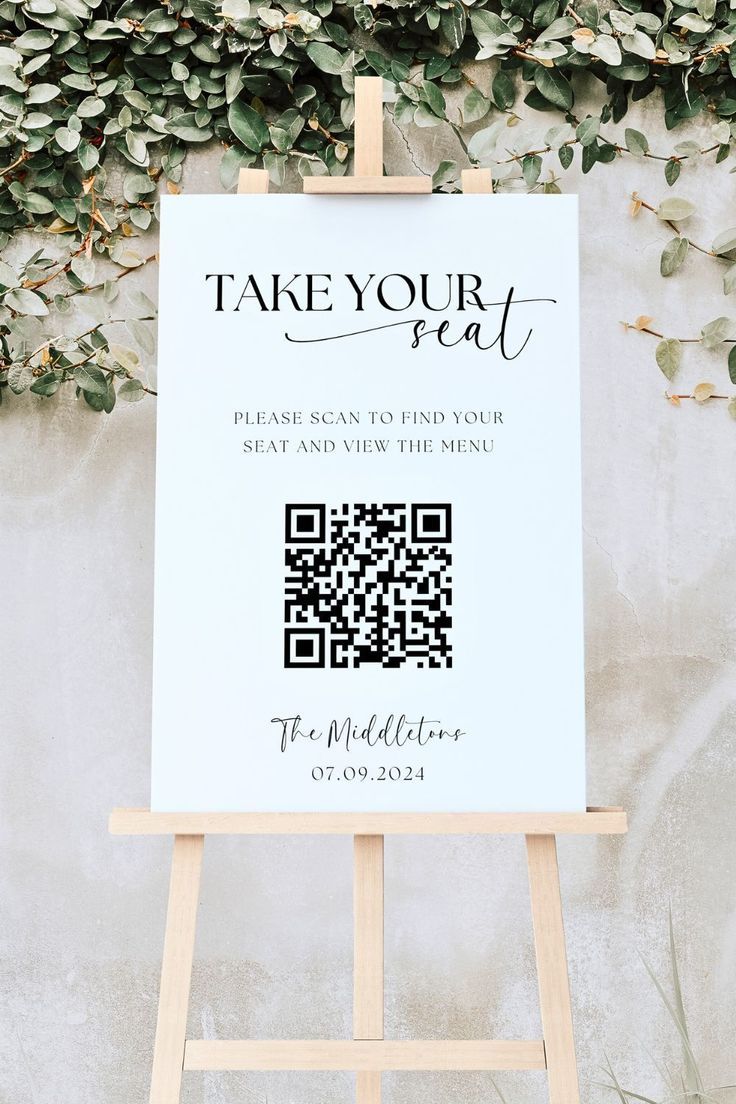
A QR code seating chart gives guests a simple way to find their table from their phone.
Instead of standing in front of a large seating board and scanning through dozens or hundreds of names, guests scan a QR code, search for their name, and see their assigned table or seat.
There is no app to download, and the physical setup can be as simple as a small QR sign placed near the entrance.
But how does the whole process actually work?
Here’s what happens from setting up the guest list to the moment a guest finds their seat.
What is a QR code seating chart?
A QR code seating chart is a digital alternative — or companion — to a traditional printed wedding seating chart.
The QR code opens a mobile-friendly seating page containing the event’s guest and table information.
A guest typically goes through three simple steps:
- Scan the QR code
- Search their name
- See their table and seat
For example:
David Arun
Table 8
Seat 4
The idea is not to make the wedding experience more complicated with technology.
It is simply another way to answer the question guests already have when they arrive:
“Where am I sitting?”
Step 1: Prepare your wedding guest list
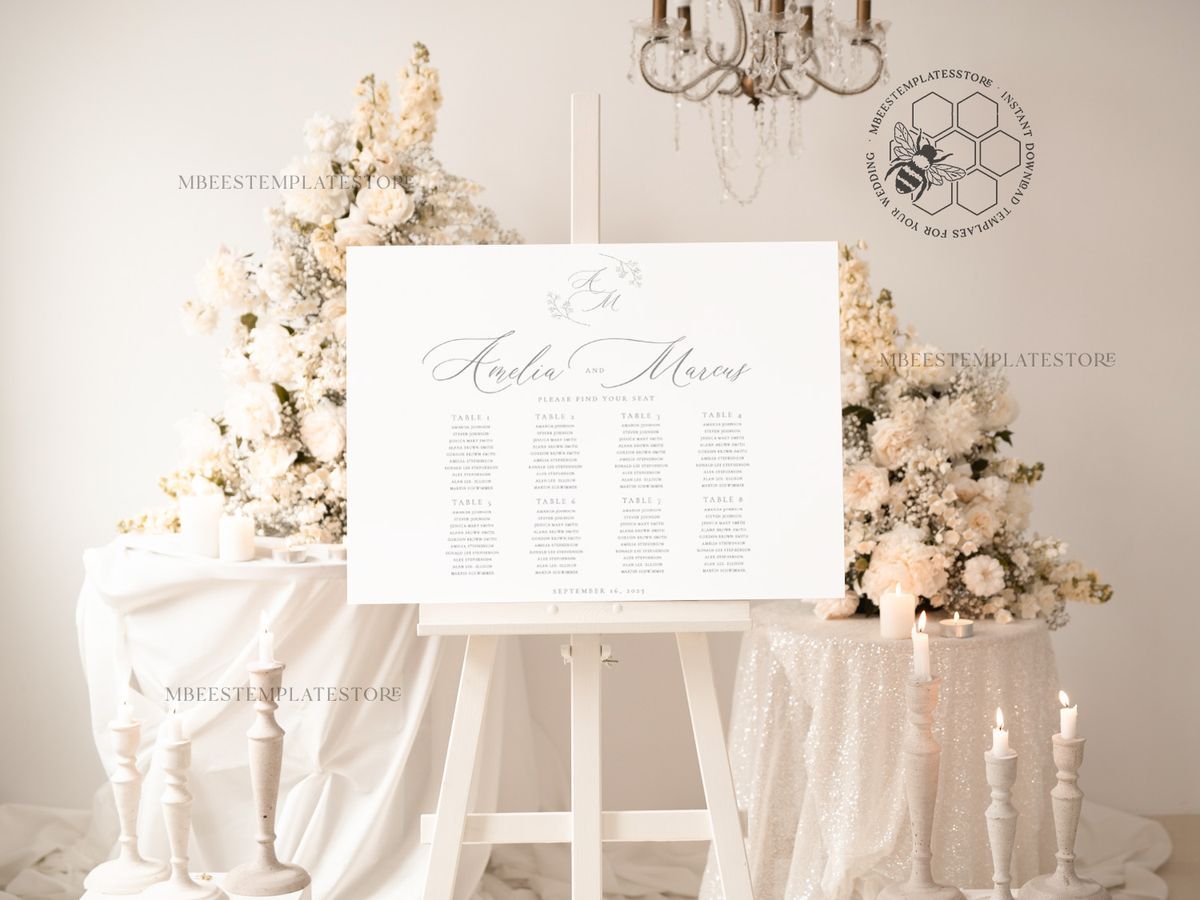
Before creating the QR code, you first need a seating list.
At minimum, each guest should have:
- Name
- Table assignment
If your wedding uses assigned individual seats, you can also include:
- Seat number
For example:
David Arun — Table 8 — Seat 4
Emily Tan — Table 6 — Seat 2
Sarah Wong — Table 10
If you already manage your guest list in Excel or Google Sheets, you don't necessarily need to enter every person manually.
With Find Your Seat, for example, you can prepare your guest information in a CSV file and import it into the project.
This can be especially useful when you're working with a larger guest list.
Step 2: Check the names guests will actually search
One small detail can make a big difference: think about how your guests know their own names on the list.
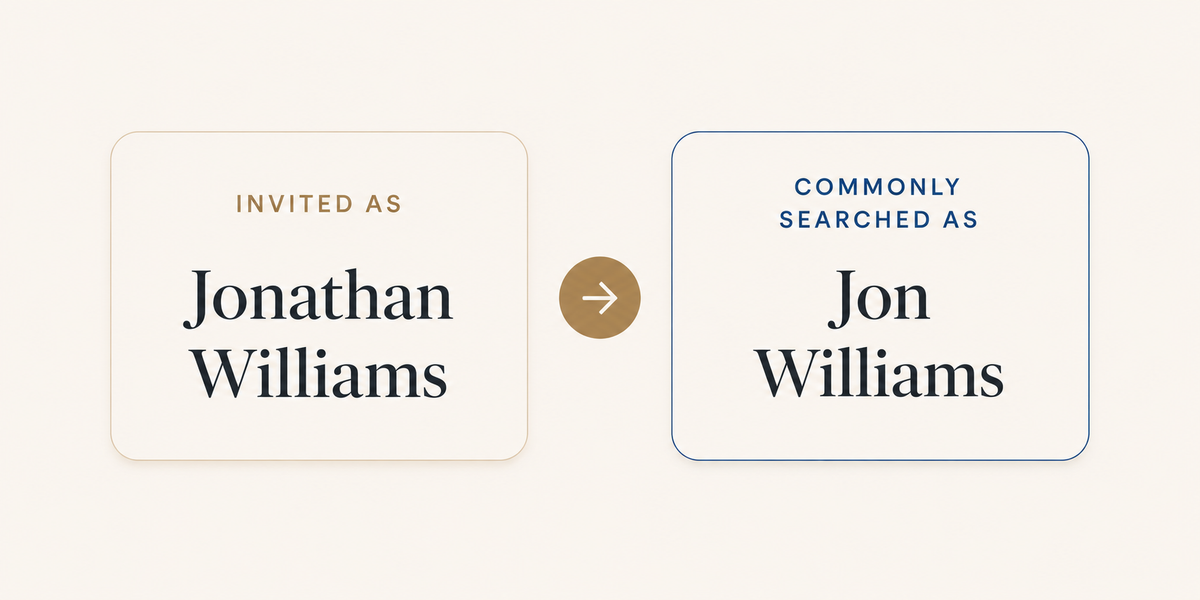
If someone is invited as:
Jonathan Williams
but everyone knows him as:
Jon Williams
he may initially search for “Jon.”
The same applies to:
- nicknames
- Thai and English names
- couples with similar names
- family members with the same surname
Before publishing your seating page, review the guest list from the guest's perspective rather than only from the organizer's spreadsheet.
The easier the names are to recognize, the easier the search experience will be.
Step 3: Add your table and seat information
Once the guest names are ready, assign the table information.
For weddings that only assign tables, the result may simply show:
Table 8
If you have individual seat assignments, it can show:
Table 8
Seat 4
Keep the information simple.
Most guests don't need to see notes, internal group names, RSVP information, or other planning details.
They only need enough information to know where to go.
Step 4: Optionally add a floor plan
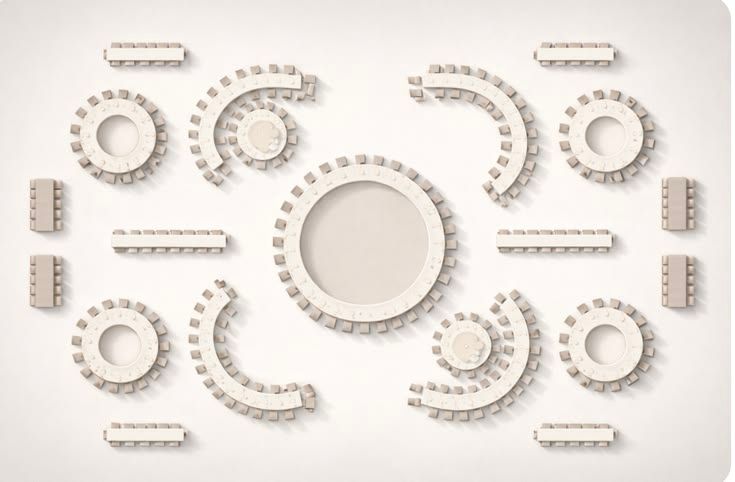
A table number tells a guest which table they belong to.
A floor plan can help them understand where that table is located.
For example, after finding:
Table 8
the guest can open a venue floor plan showing the table layout.
This can be useful for:
- large ballrooms
- weddings with multiple seating zones
- venues with unusual layouts
- events where table numbering isn't obvious from the entrance
With Find Your Seat's Search + Floor Plan option, organizers can add a static floor plan for guests to view after finding their seating information.
The floor plan does not need to be complicated.
A clear image showing the stage, entrance, and table numbers is often enough.
Step 5: Customize the guest-facing page
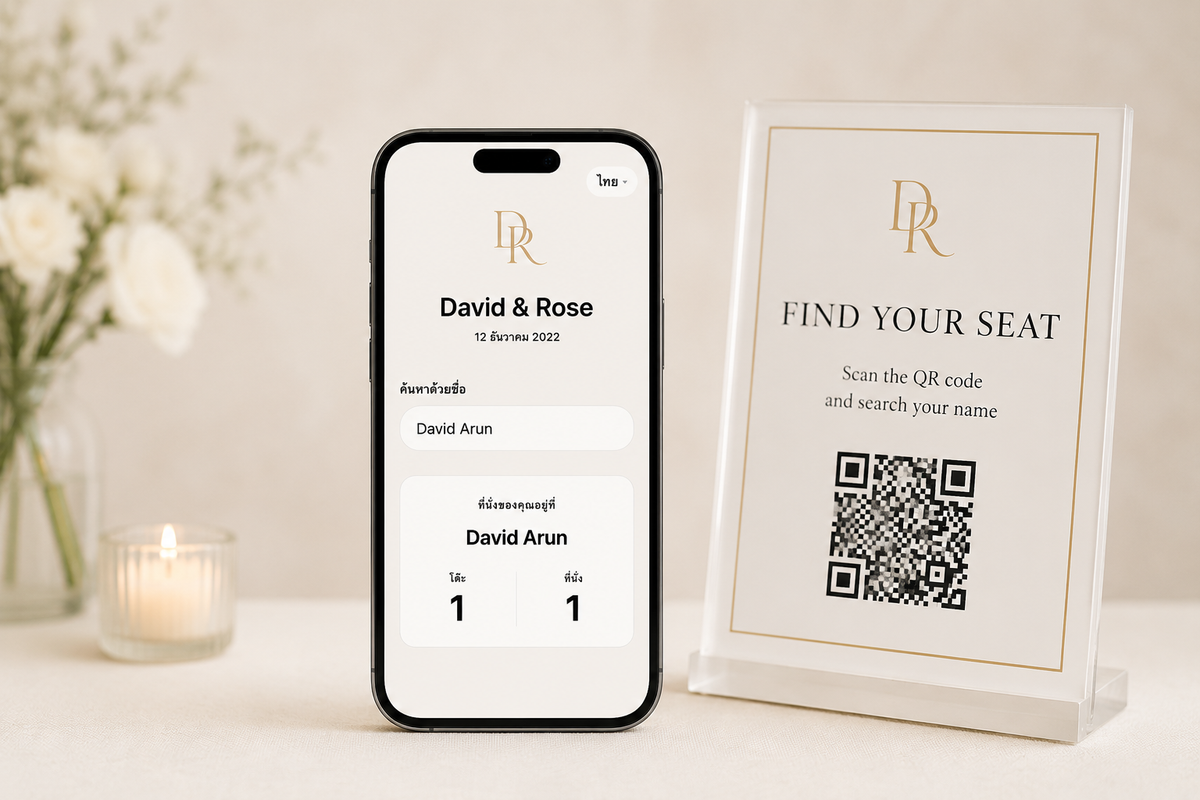
The seating page is something your guests will interact with, so it should feel like part of the event rather than an unrelated admin page.
Depending on the tool you use, you may be able to customize things such as:
- Event title
- Logo
- Background color
- Background image
A simple design is usually best.
The guest's name, table number, and seat number should remain easy to read even if the page uses wedding artwork or photography in the background.
Design should support the search experience rather than compete with it.
Step 6: Preview everything before publishing
Before sharing the QR code, test the experience yourself.
Pretend you're a guest.
Open the page on your phone and try searching several names.
Check:
- Can you find a guest easily?
- Are similar names understandable?
- Is the table number obvious?
- Is the seat number clear?
- Can you open the floor plan?
- Does the page look good on a phone?
It's also worth asking someone who hasn't been involved in preparing the seating list to test it.
They'll often notice things that are obvious to guests but easy for organizers to overlook.
Step 7: Publish and generate the QR code
Once the seating information is ready, publish the event page.
The published page has its own link, which can then be represented by a QR code.
That QR code becomes the entry point for your guests.
Instead of typing a URL, they simply open their phone's camera and scan it.
From there, the seating page opens directly in their browser.
No app download is required.
Step 8: Place the QR code where guests need it
Where you place the QR code matters almost as much as the QR itself.
The best location is usually somewhere guests naturally pause before entering the reception.
Common locations include:
- Registration desk
- Welcome area
- Entrance to the ballroom
- Next to a traditional seating chart
- Cocktail reception area before dinner
The sign doesn't need a long explanation.
Something as simple as:
Find Your Seat
Scan the QR code and search your name.
is usually enough.
The QR should be large enough to scan comfortably without guests having to stand directly beside the sign.
What does the guest experience look like?
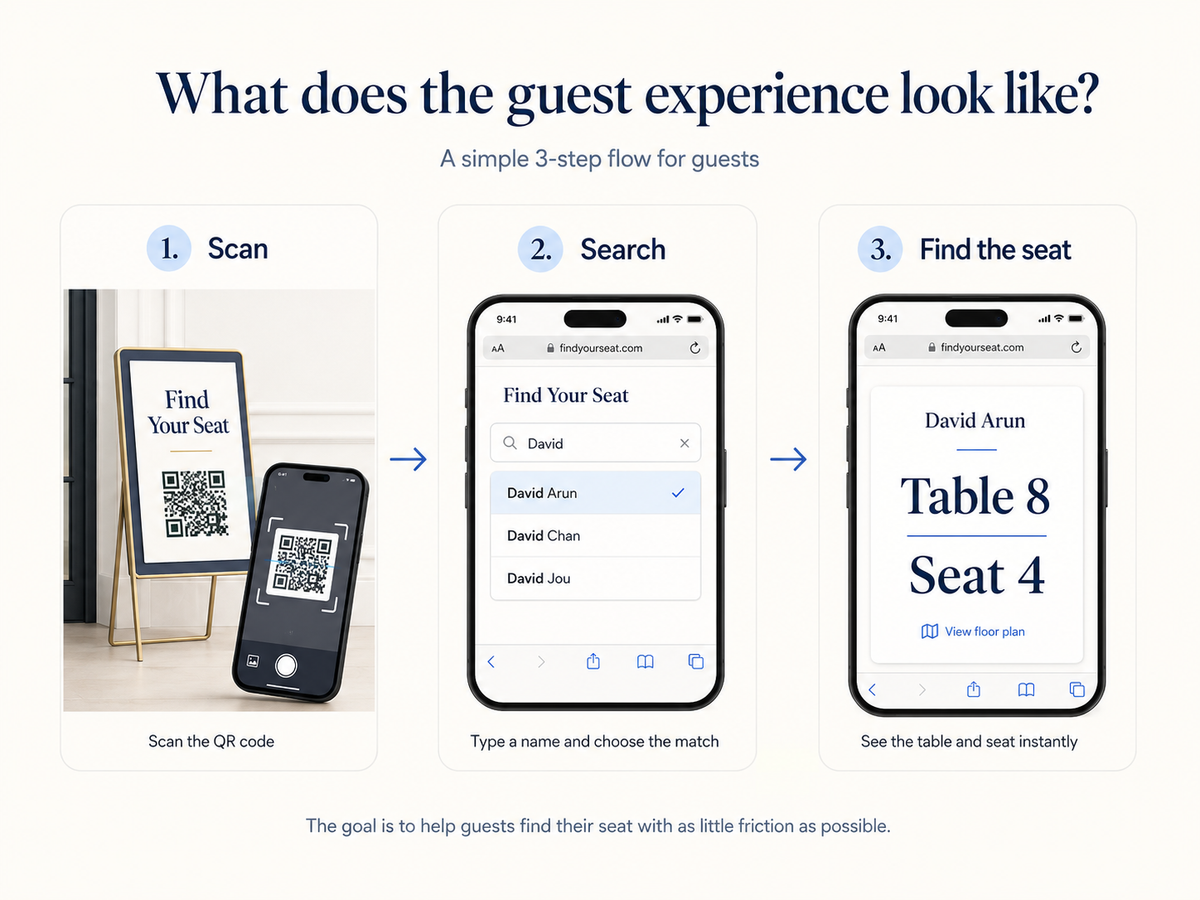
Imagine David arrives at the wedding reception.
He sees a small Find Your Seat sign near the entrance.
1. Scan
David scans the QR code with his phone.
The seating page opens in his browser.
2. Search
He starts typing:
David
The page displays matching guest suggestions:
David Arun
David Chan
David Jou
He selects his name.
3. Find the seat
The result appears:
David Arun
Table 8
Seat 4
If the wedding includes a floor plan, David can open it to see the venue layout.
That's the entire interaction.
The goal is for guests to spend as little time as possible figuring out the system.
Does a QR seating chart replace a printed seating chart?
It doesn't have to.
A digital seating search and a printed seating chart can work together very well.
The printed seating chart can remain a beautiful part of the wedding styling.
Meanwhile, the QR code offers a faster alternative for guests who would rather search their name.
For example, you could have:
A large floral seating display
+
A small “Find Your Seat” QR sign beside it
Guests can choose whichever method feels easier.
This is particularly useful at larger weddings, where several people trying to read the same board at once can create congestion around the entrance.
What happens if a table assignment changes?
This is where a digital seating list can be particularly practical.
Imagine David was originally assigned to Table 8, but shortly before the event he needs to move to Table 12.
With a printed seating chart, you may need to modify or reprint the physical display.
With a digital system, the organizer can update the seating information according to the system's editing workflow and ensure the published seating information reflects the intended assignment.
This doesn't remove the need for good seating management.
You should still maintain one accurate guest list as your source of truth.
The QR code simply gives guests an easier way to access that information.
Is a QR code seating chart suitable for every wedding?
Not necessarily.
For a wedding with 30 or 40 guests, a beautifully printed seating chart may already be simple enough.
A QR-based search becomes more useful as:
- the guest list gets larger
- names become harder to scan on one display
- individual seats are assigned
- seating changes happen close to the event
- you want guests to find their information independently
It can also work well when you want a minimal entrance setup without printing a very large seating board.
Do older guests need to use the QR code?
No.
You shouldn't design the arrival experience around the assumption that every guest wants to use their phone.
A good setup can provide alternatives.
For example:
- QR code for guests who are comfortable searching themselves
- printed seating information
- staff available to assist when needed
The purpose of a digital seating finder isn't to remove human support.
It can simply reduce the number of guests who need that support at the same time.
Can guests check their table before arriving?
Yes, if you choose to share the event link with them.
A QR code is simply an easy way to open the seating page at the venue. The same page can also be accessed through its link.
That means you could include the link in pre-event communication if you want guests to check their seating information before they arrive.
Whether you do this depends on when you want seating assignments to become visible.
QR code seating chart vs. QR code that opens an image
There are two different ways QR codes are sometimes used for wedding seating.
QR → seating chart image
The QR code opens a PDF or image containing the whole seating chart.
This is simple to create, but guests still need to zoom and search through the list manually.
QR → searchable guest page
The QR code opens a page where guests search their own name and receive their individual result.
This removes the need to browse through everyone else's seating information.
For larger guest lists, the second approach can provide a much simpler mobile experience.
How Find Your Seat works
Find Your Seat is a self-service guest seating search tool for weddings and events.
The organizer:
- Creates an event
- Adds or imports the guest list
- Assigns tables and optional seat numbers
- Customizes the guest page
- Optionally adds a static floor plan
- Previews the experience
- Publishes the event
- Shares the QR code or public link
The guest:
Scans → Searches → Finds their seat
There is no app for guests to install.
Everything works through the event's mobile web page.
Is a QR code seating chart worth using?
It depends on the event.
If your seating chart is already easy for every guest to read, you may not need anything else.
But as the number of guests increases, finding one name among hundreds becomes a different problem.
A QR-based seating search turns that large seating list into a simple personal interaction:
Search my name.
Show me my table.
And sometimes, making that one small moment easier is enough to create a smoother start to the celebration.